Loading manuals…
ATEN IC485AI manual
1 document
What's in the ATEN IC485AI user manual
From ATEN IC485AI user manual · 24 pages · English. Tap a section to open the PDF at its page.
- IC485AI User Manualp. 3
Online Registration You can register your product at our
- Online Registrationp. 3
You can register your product at our
- Online Supportp. 3
center: Online Support
- Internationalp. 3
North America International http://support.aten.com Email Support support@aten.com Online Support Technical Support http://support.aten.com Troubleshooting…
- North Americap. 3
International http://support.aten.com Email Support support@aten.com Online Support Technical Support http://support.aten.com Troubleshooting Documentation…
- Telephone Supportp. 4
For telephone support, call this number: International 886-2-8692-6959 China 86-400-810-0-810 Japan 81-3-5615-5811 Korea 82-2-467-6789 North America…
- Overviewp. 6
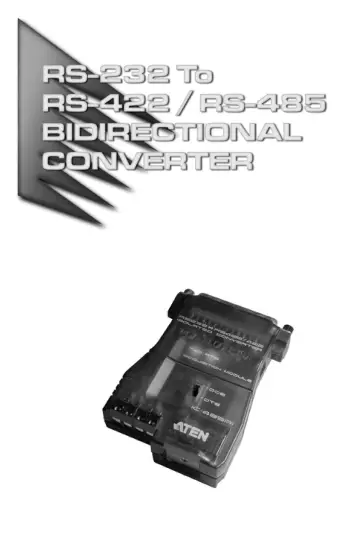
Although RS-232 serial ports are found on almost every computer, because of their slow transmission speeds, limited range, and limited networking capabilities…
- Featuresp. 6
Automatic internal RS-485 bus supervision No external flow control signals for RS-485 required Transient suppression on RS-485 data lines LEDs for easy…
- Componentsp. 7
Top view: 1. Status LEDs RTS: Lights to indicate that RTS has been pulled high. TxD: Flashes when data transmission occurs. 2. RS-422 / RS-485 Terminal Block…
- Top view:p. 7
1. Status LEDs RTS: Lights to indicate that RTS has been pulled high. TxD: Flashes when data transmission occurs. 2. RS-422 / RS-485 Terminal Block 3.…
- Bottom View:p. 8
1. DIP Switch This eight segment DIP Switch, located on the unit’s bottom panel, is used to configure the switch’s operating parameters. 1
- DIP Switch Configurationp. 9
The IC-485AI’s settings for Baud Rate, Data Format, and RS-422 / RS-485 Mode are configured by setting the eight segment DIP Switch located on its bottom panel…
- Operating Modesp. 11
The IC-485AI supports three operating modes
- Point-to-Pointp. 11
; Multidrop; and Simplex. Point-to-Point and Multidrop can be configured for Full or Half Duplex. Each of the operating modes is explained below.…
- Multidropp. 12
A Multidrop configuration is one in which more than two devices are linked for communication using several IC-485AI units. One of the devices that one of the…
- Simplexp. 15
A Simplex configuration is one in which more than two devices are linked for communication using several IC-485AI units in a manner similar to Multidrop. The…
- Installationp. 16
1. Make sure that all the devices you will be connecting up are powered off. 2. Set each IC-485AI’s configuration switches according to the information…
- RS-422 / RS-485 Installation Diagramsp. 17
RS-422 Full Duplex Note: When the distance between both ends of the installation is large and/or the transmitted signals are unstable, insert 120Ω terminal…
- Appendixp. 18
Terminal Block Pin Assignments
- Terminal Block Pin Assignmentsp. 18
Circuit Test To test the IC-485AI’s internal circuits, connect a dumb terminal to the unit and do the following: 1. Set the DCE / DTE switch to the opposite of…
- Circuit Testp. 18
To test the IC-485AI’s internal circuits, connect a dumb terminal to the unit and do the following: 1. Set the DCE / DTE switch to the opposite of the…
- RS-485 Operation Mode Flow Chartsp. 19
RTS Control Mode The IC-485AI operates in RS-485 RTS Control Mode when both SW7 and SW8 are set to OFF. In this mode, RTS is pulled high when the computer…
- DCE / DTE Connection Descriptionp. 21
- Specificationsp. 22
Function Specification Power Consumption DC 9V; 900mW (max.) Data Rate Up to 115.2 Kbps under 1200 m (4000 ft.) Connectors 1 x DB-25 female (RS-232); 1 x 4…
- Troubleshootingp. 23
Symptom Action Data Transmission Failure Check that IC-485AI units are securely plugged into the computers’ serial ports. Check that the cables are properly…
- Limited Warrantyp. 24
ATEN warrants its hardware in the country of purchase against flaws in materials and workmanship for a Warranty Period of two [2] years (warranty period may…