Loading manuals…
ATEN CE620-NK manual
Docks & adapters
1 document
What's in the ATEN CE620-NK user manual
From ATEN CE620-NK user manual · 28 pages · English. Tap a section to open the PDF at its page.
- EMC Informationp. 2
FEDERAL COMMUNICATIONS COMMISSION INTERFERENCE STATEMENT: This equipment has been tested and found to comply with the limits for a Class A digital device…
- RoHSp. 2
This product is RoHS compliant.
- User Informationp. 3
Online Registration Be sure to register your product at our online support center
- Online Registrationp. 3
Be sure to register your product at our online support center
- Telephone Supportp. 3
For telephone support, call this number
- User Noticep. 3
All information, documentation, and specifications contained in this manual are subject to change without prior notification by the manufacturer. The…
- About this Manualp. 7
This User Manual is provided to help you get the most from your system. It covers all aspects of installation, configuration and operation. An overview of the…
- Conventionsp. 8
This manual uses the following conventions
- Product Informationp. 8
For information about all ATEN products and how they can help you connect without limits, visit ATEN on the Web or contact an ATEN Authorized Reseller. Visit…
- Chapter 1 Introductionp. 9
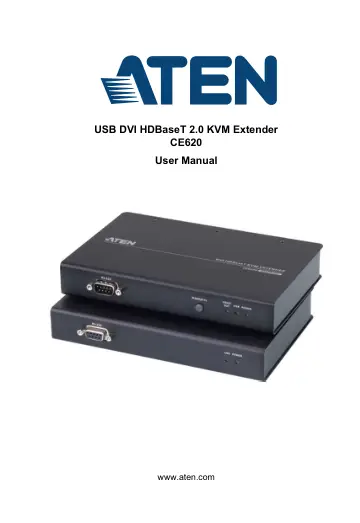
Overview The ATEN CE620 USB DVI HDBaseT 2.0 KVM Extender integrates the latetst HDBaseT 2.0 technologies to provide the most reliable transmission of video…
- Overviewp. 9
The ATEN CE620 USB DVI HDBaseT 2.0 KVM Extender integrates the latetst HDBaseT 2.0 technologies to provide the most reliable transmission of video, audio, USB…
- Featuresp. 10
Uses a single Cat 5e cable to connect the local and remote units Allows extended access to a DVI computer or KVM installation from a remote console …
- Requirementsp. 11
Consoles A DVI-D monitor capable of the highest resolution you will be using on any computer in the installation. A USB keyboard A USB mouse Computers…
- Componentsp. 12
CE620L (Local Unit) Front and Rear View No. Component Description 1 RS-232 Port This RS-232 serial port is for connecting to a serial terminal for…
- Chapter 2 Hardware Setupp. 15
Stacking and Rack Mounting Stacking The CE620 can be placed on any appropriate level surface that can safely support its weight plus the weight of its attached…
- Stacking and Rack Mountingp. 15
Stacking The CE620 can be placed on any appropriate level surface that can safely support its weight plus the weight of its attached cables. To place or stack…
- Installationp. 17
Grounding To prevent damage to your installation it is important that all devices are properly grounded. 1. Use a grounding wire to ground both units by…
- Chapter 3 Operationp. 21
Overview The Operation chapter describes how the LED display lights work and how to use HDBaseT Long Reach Mode. LED Display The CE620 local and remote Units…
- Overviewp. 21
The Operation chapter describes how the LED display lights work and how to use HDBaseT Long Reach Mode. LED Display The CE620 local and remote Units have front…
- Appendixp. 23
Safety Instructions General Read all of these instructions. Save them for future reference. Follow all warnings and instructions marked on the device. …
- Safety Instructionsp. 23
General Read all of these instructions. Save them for future reference. Follow all warnings and instructions marked on the device. This product is for…
- Technical Supportp. 26
International For online technical support – including troubleshooting, documentation, and software updates: http://eservice.aten.com For telephone…
- Specificationsp. 27
Function CE620L CE620R Connectors DVI In 1 x DVI-D Female (White) N/A DVI Out N/A 1 x DVI-D Female (White) USB 1 x USB Type B Female (White) 3 x USB Type A…
- Limited Warrantyp. 28
ATEN warrants its hardware in the country of purchase against flaws in materials and workmanship for a Warranty Period of two [2] years (warranty period may…