Loading manuals…
Allied Telesis TQ5403 manual
Routers & Wi-Fi
1 document
What's in the Allied Telesis TQ5403 user manual
From Allied Telesis AT-TQ5403 (990-006051-00) user manual · 164 pages · English. Tap a section to open the PDF at its page.
- List of Figuresp. 9
- List of Tablesp. 11
- Prefacep. 13
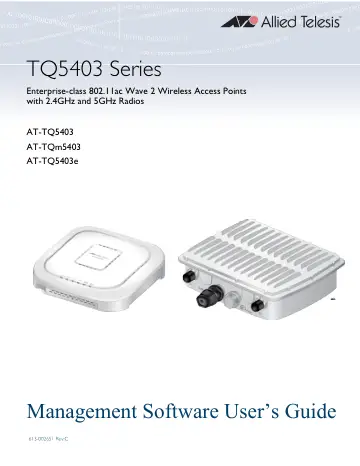
This guide contains instructions on how to manage the features of the TQ5403 series access points with the web browser management interface. The access point…
- Safety Symbols Used in this Documentp. 14
This document uses the following conventions. Note Notes provide additional information. Caution Cautions inform you that performing or omitting a specific…
- Contacting Allied Telesisp. 15
If you need assistance with this product, you can contact Allied Telesis technical support by going to the Support & Services section of the Allied Telesis web…
- Chapter 1p. 17
Getting Started Here are the sections in this chapter: “Features” on page 18 “Management Tools” on page 20 “Starting the First Management Session” on…
- Getting Startedp. 17
Here are the sections in this chapter: “Features” on page 18 “Management Tools” on page 20 “Starting the First Management Session” on page 22 “Starting…
- Chapter 2p. 33
Basic Settings This chapter contains the following procedures: “Assigning a Dynamic IP Address from a DHCP Server” on page 34 “Assigning a Static IP…
- Basic Settingsp. 33
This chapter contains the following procedures: “Assigning a Dynamic IP Address from a DHCP Server” on page 34 “Assigning a Static IP Address to the Access…
- Chapter 3p. 55
Web Browser Interface This chapter contains the following procedures: “Configuring the Web Browser Interface” on page 56 “Changing the Manager’s Login Name…
- Web Browser Interfacep. 55
This chapter contains the following procedures: “Configuring the Web Browser Interface” on page 56 “Changing the Manager’s Login Name and Password” on page…
- Chapter 4p. 61
2.4GHz and 5GHz Radios This chapter has the following procedures: “Configuring the Radios” on page 62 “Displaying Radio Status” on page 71 “Dynamic…
- 2.4GHz and 5GHz Radiosp. 61
This chapter has the following procedures: “Configuring the Radios” on page 62 “Displaying Radio Status” on page 71 “Dynamic Frequency Selection” on page…
- Chapter 5p. 77
Virtual Access Points This chapter contains the procedures for managing virtual access points (VAPs). The chapter contains the following sections: “VAP…
- Virtual Access Pointsp. 77
This chapter contains the procedures for managing virtual access points (VAPs). The chapter contains the following sections: “VAP Introduction” on page 78 …
- Chapter 6p. 113
Quality of Service This chapter describes the following procedures: “Introduction to Quality of Service” on page 114 “Configuring QoS Basic Settings” on…
- Quality of Servicep. 113
This chapter describes the following procedures: “Introduction to Quality of Service” on page 114 “Configuring QoS Basic Settings” on page 116 …
- Chapter 7p. 123
LAN1 and LAN2 Ports This chapter describes the following procedures: “Configuring the Management VLAN” on page 124 “Enabling or Disabling the LAN2 Port” on…
- LAN1 and LAN2 Portsp. 123
This chapter describes the following procedures: “Configuring the Management VLAN” on page 124 “Enabling or Disabling the LAN2 Port” on page 126 …
- Chapter 8p. 133
Wireless Distribution System Bridges This chapter contains the procedures for managing Wireless Distribution Bridges. The chapter contains the following…
- Wireless Distribution System Bridgesp. 133
This chapter contains the procedures for managing Wireless Distribution Bridges. The chapter contains the following sections: “Introduction to Wireless…
- Chapter 9p. 143
Monitoring This chapter has the following procedures: “Displaying Basic System Information” on page 144 “Displaying Neighboring Access Points” on page 147…
- Monitoringp. 143
This chapter has the following procedures: “Displaying Basic System Information” on page 144 “Displaying Neighboring Access Points” on page 147 …
- Chapter 10p. 149
System Log This chapter describes the system log in the following sections: “Displaying the System Log” on page 150 “Sending Log Messages to a Syslog…
- System Logp. 149
This chapter describes the system log in the following sections: “Displaying the System Log” on page 150 “Sending Log Messages to a Syslog Server” on page…
- Chapter 11p. 155
Maintenance This chapter has the following procedures: “Downloading the Configuration of the Access Point to Your Computer” on page 156 “Restoring a…
- Maintenancep. 155
This chapter has the following procedures: “Downloading the Configuration of the Access Point to Your Computer” on page 156 “Restoring a Configuration to…
The same user manual covers 990-006051-00 and 990-006373-00.